The problem: a dashboard that made me do the work
I already had the screen. Subscribers, leads, outreach, all in one place, glowing, very Iron Man.
It was decoration.
Clicking a button on it copied a command to my clipboard. Then I opened a Terminal and pasted it in myself. File, to chat, to Terminal, and back again. I was not running the system, I was the message bus between two things that could have been talking directly.
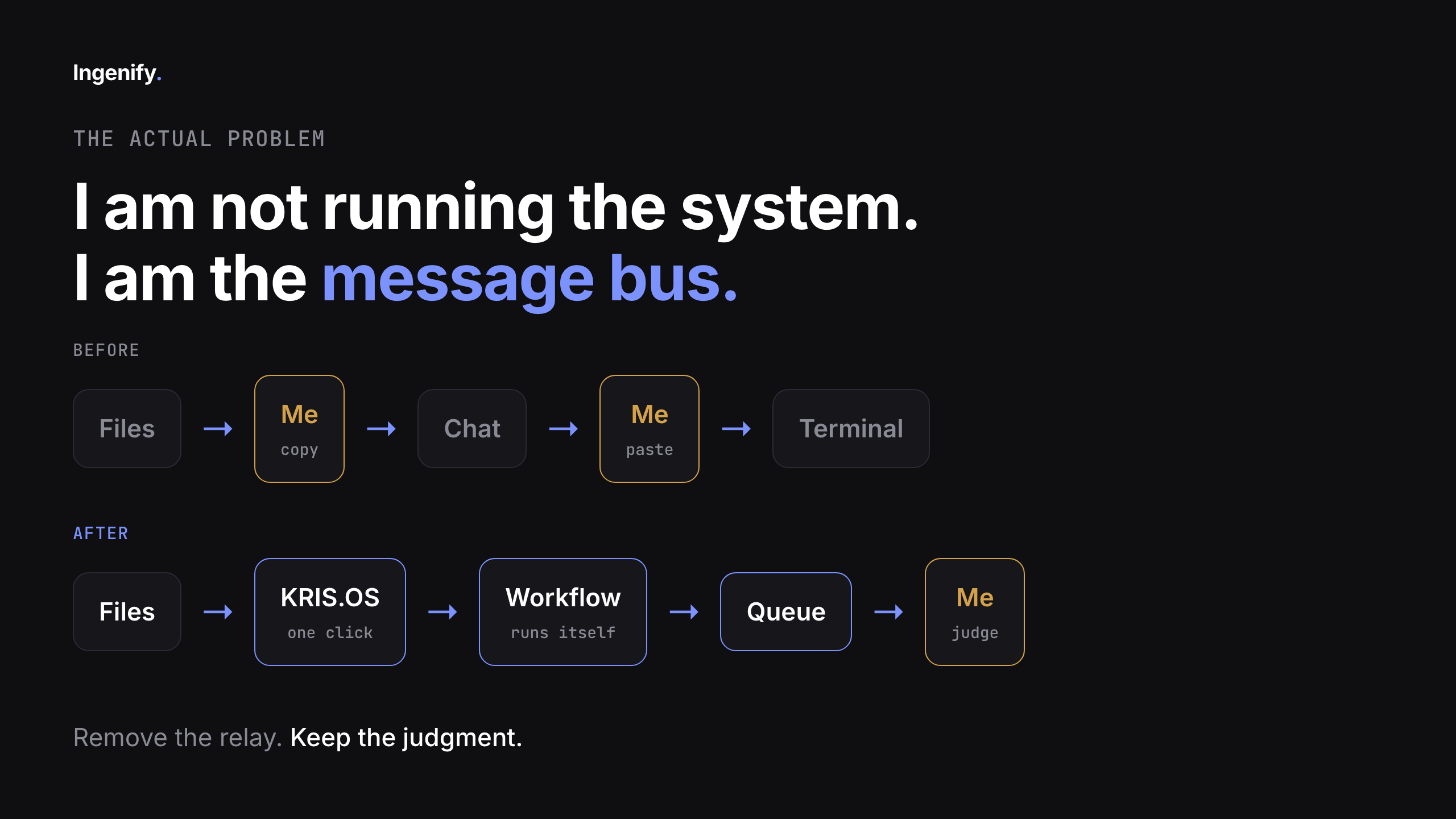
So the goal was simple to say and annoying to build safely: the boring work should start without me, and the decisions should still stop with me.
Giving an AI agent hands, safely
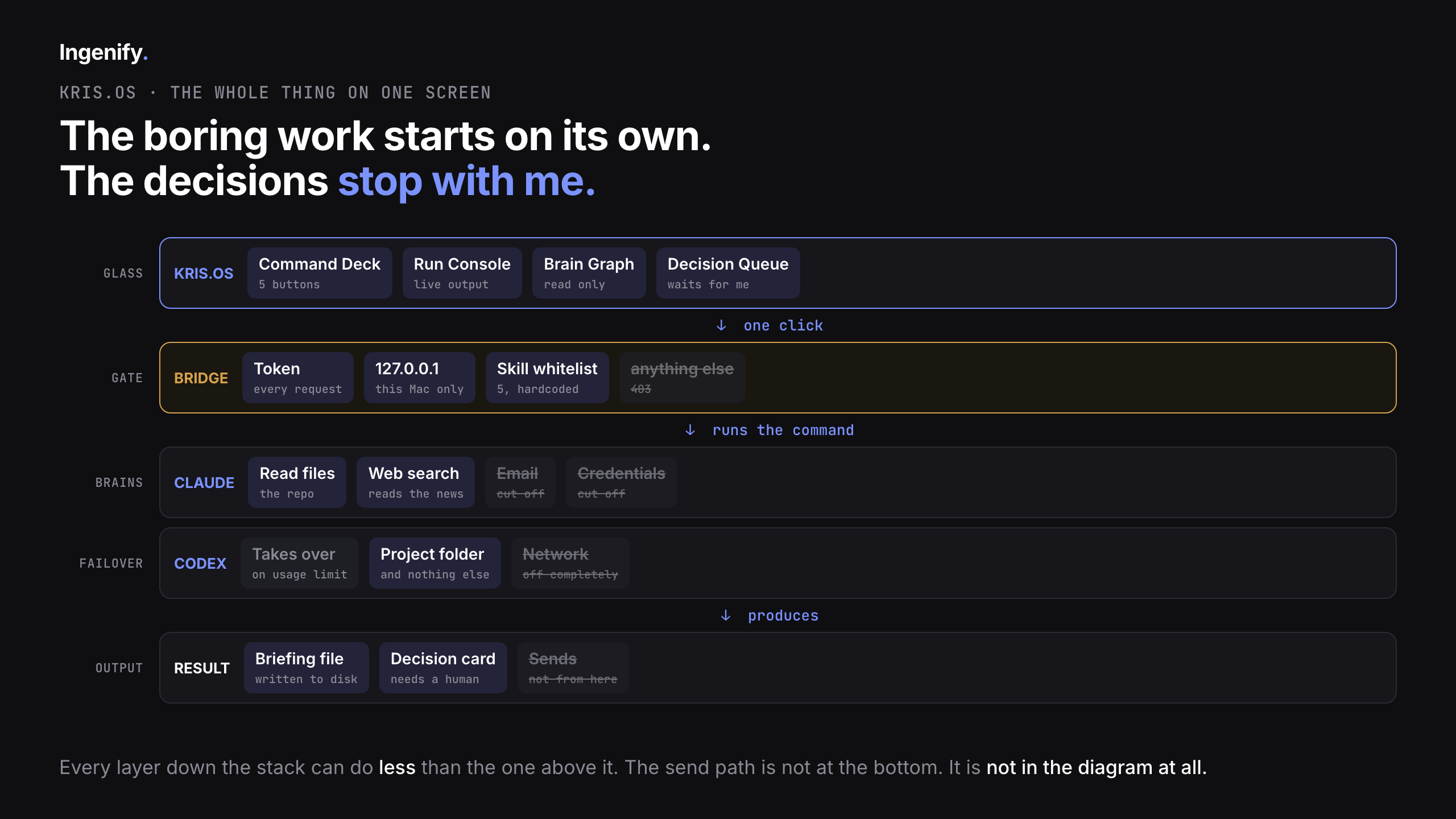
I told Claude Code what I wanted: a small local server sitting between the dashboard and a locked-down AI runner. On my machine, nowhere else. No hosting, no cloud, Python standard library only.
The server gets five things it is allowed to do. Morning brief, pulse check, pipeline, daily checklist, financials. That is the whole menu.
The whitelist lives on the server, not in the browser
This is the part that actually matters and it is worth stealing. The server holds the list of allowed commands. The browser sends an identifier, the server decides what that identifier means and runs it.
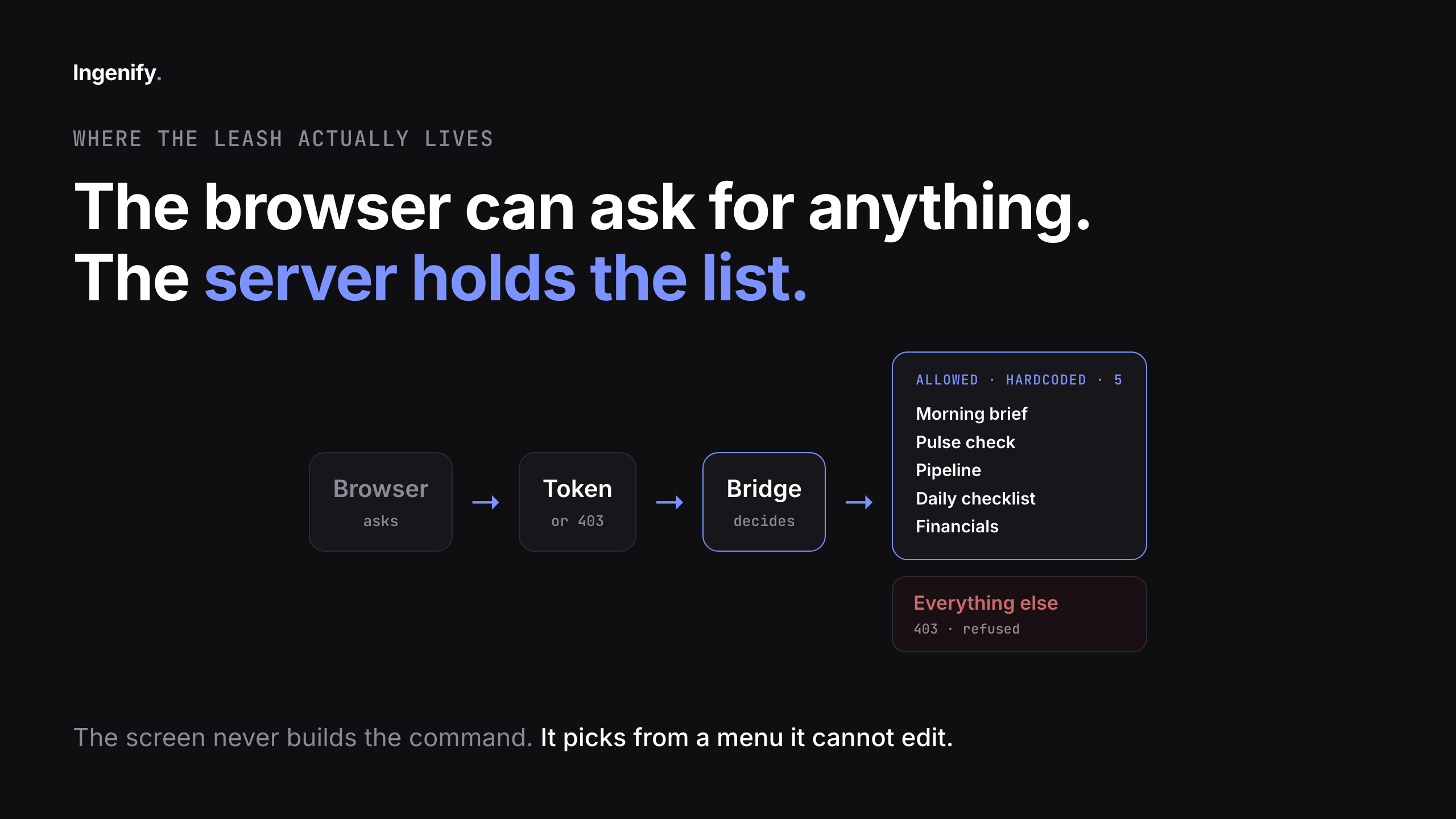
The screen cannot invent a new command. Nothing in the front end constructs a shell string. If someone tampers with the page, the worst they get is a request for a workflow that is not on the list, and the answer is no.
One click, and the runner reads the same files I would normally open by hand, one after another, and writes the output to a file. No prompt, no copy paste, no me.
The security hole: your agent inherits your machine
The second an agent can do things, the only question worth asking is what it cannot do.
I blocked the Gmail connector in the runner's settings. Obvious move, job done, I thought.
But the runner was launched from my machine, and it inherited a second route to Google that had nothing to do with the connector I blocked. A Google Workspace CLI, already authenticated, with its credentials sitting in a folder on disk. The agent did not need the connector. It just used the tool that was already logged in as me.
It got through. It read a real email.
A prompt is not a permission. Telling an agent it must not do something is a suggestion. The only thing that actually stops it is not having the capability in the room.
What "rebuilding the room" means in practice
The fix was not a better instruction. It was rebuilding the environment the agent runs in:
- No inherited settings, skills, or connectors from my user account
- Its own credentials, not mine, scoped to what it needs
- Routes to Google cut off at the source, not asked nicely
- A sandbox network policy that explicitly blocks the Google API and auth endpoints
Then I ran the exact same instruction again. Go read my email.
Denied. And not because the agent was being polite about it. The tool was not there, the credentials were not there, and the network policy blocked the endpoints outright.
If that test had passed, my security model was wrong and the video would not have gone out.
Be precise about what you actually blocked
This is where people oversell this stuff, so here is the honest boundary.
That runner is not sitting in a box with no internet. It still has web search, because the morning brief has to go and read the news to be worth anything. What it cannot reach is my email, my Google credentials, and Google directly. That is the boundary, that is what I tested, and that is all I am claiming.
Vague claims about being "fully sandboxed" are how people get caught out. Name the specific thing that is blocked and the specific thing that is not.
A backup brain needs its own walls
Mid-build, Claude hit its usage limit and stopped. Which pointed at something I should have thought about earlier: if the brain can run out halfway through a job, a one-click button is a toy.
So I added a second model, Codex, to pick the work up. Which immediately handed me a new problem, because a backup brain is only as good as its boundaries.
Codex got a different room, and a stricter one. It can work inside the project folder, and its network is switched off completely. Testing it with a plain request to fetch a web page comes back as "could not resolve host". Not a polite refusal, the machine cannot find the internet at all.
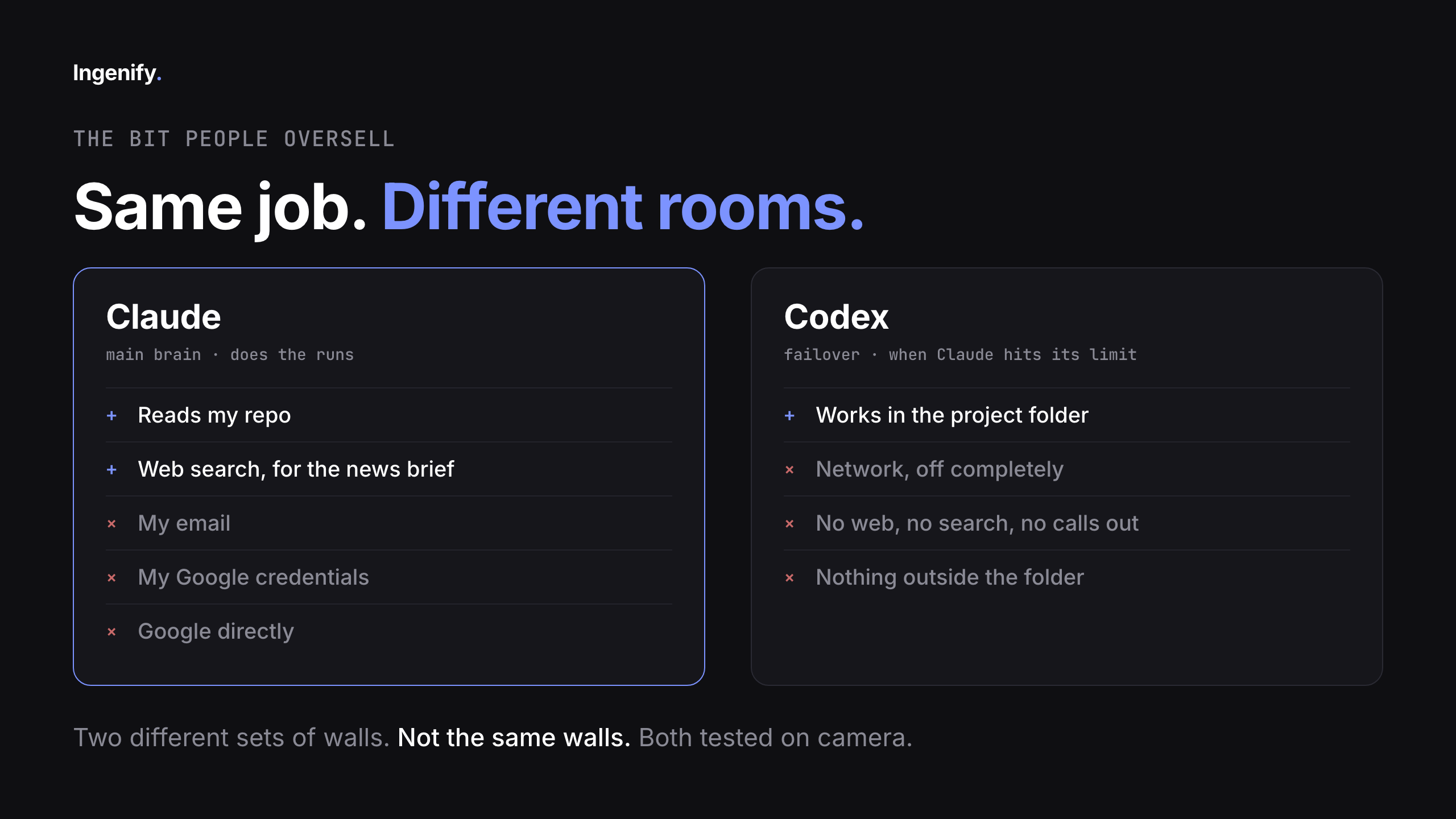
Two agents, two different rooms, two different sets of walls. Not the same walls. Both tested separately. If you run a failover model and assume it inherits the primary's restrictions, you have a second system with none of the protections you think it has.
Review is not execute
The last piece is the part I deliberately did not automate.
Anything that needs a human decision goes into a queue. The system surfaces it, explains in plain English what happens if I act on it, and then it stops and waits. I click once, and it writes a line in a file with my name and the time on it.
That is all approving does. It writes a line.
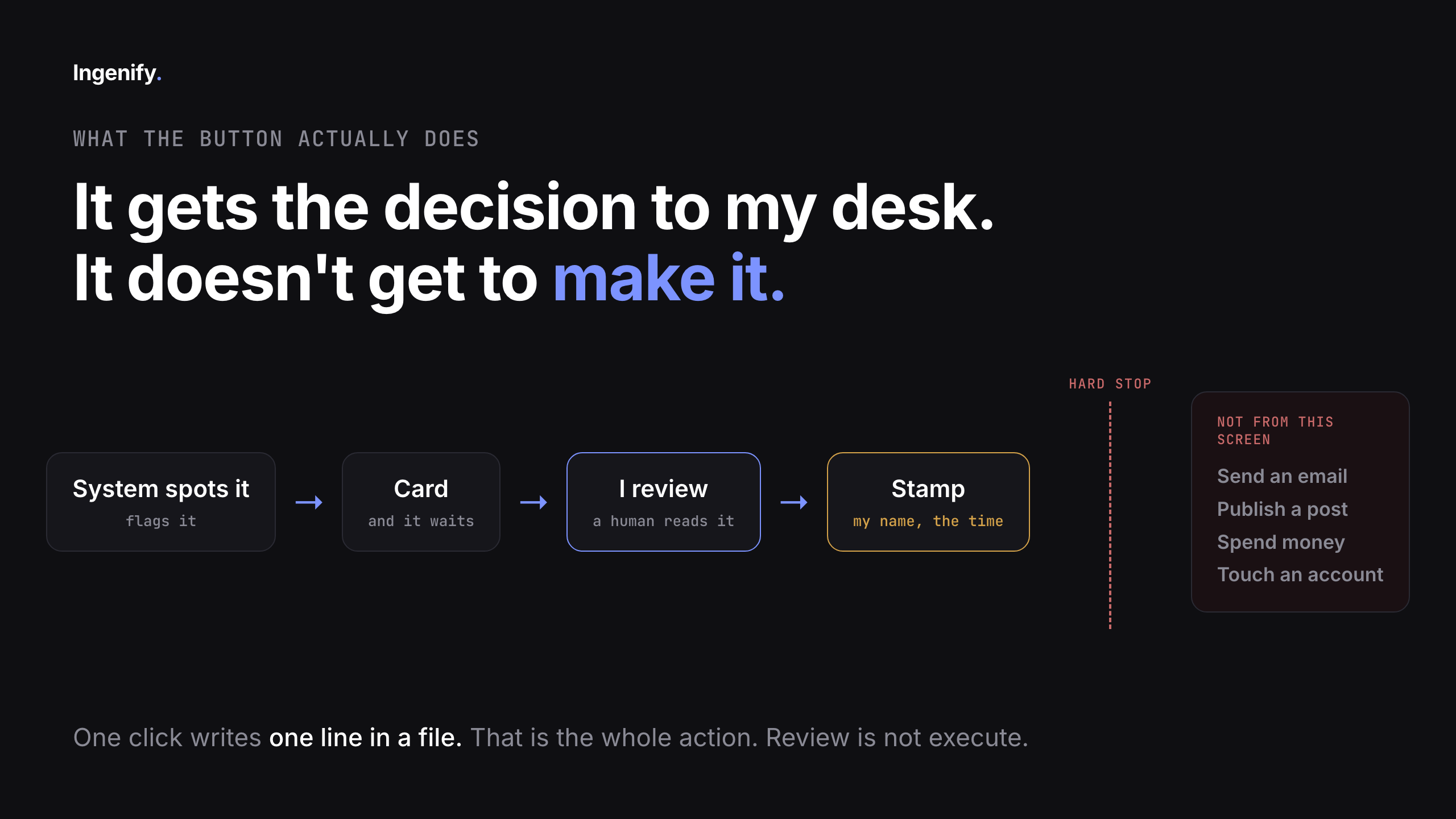
It does not send an email. It does not publish anything. It does not spend money. It does not touch an account. The agent gets the decision to my desk, it does not get to make it.
That is deliberate, not a missing feature. Send, post, and spend are not built, and they will not be until the boring half has been running for months without surprising me. Useful before autonomous.
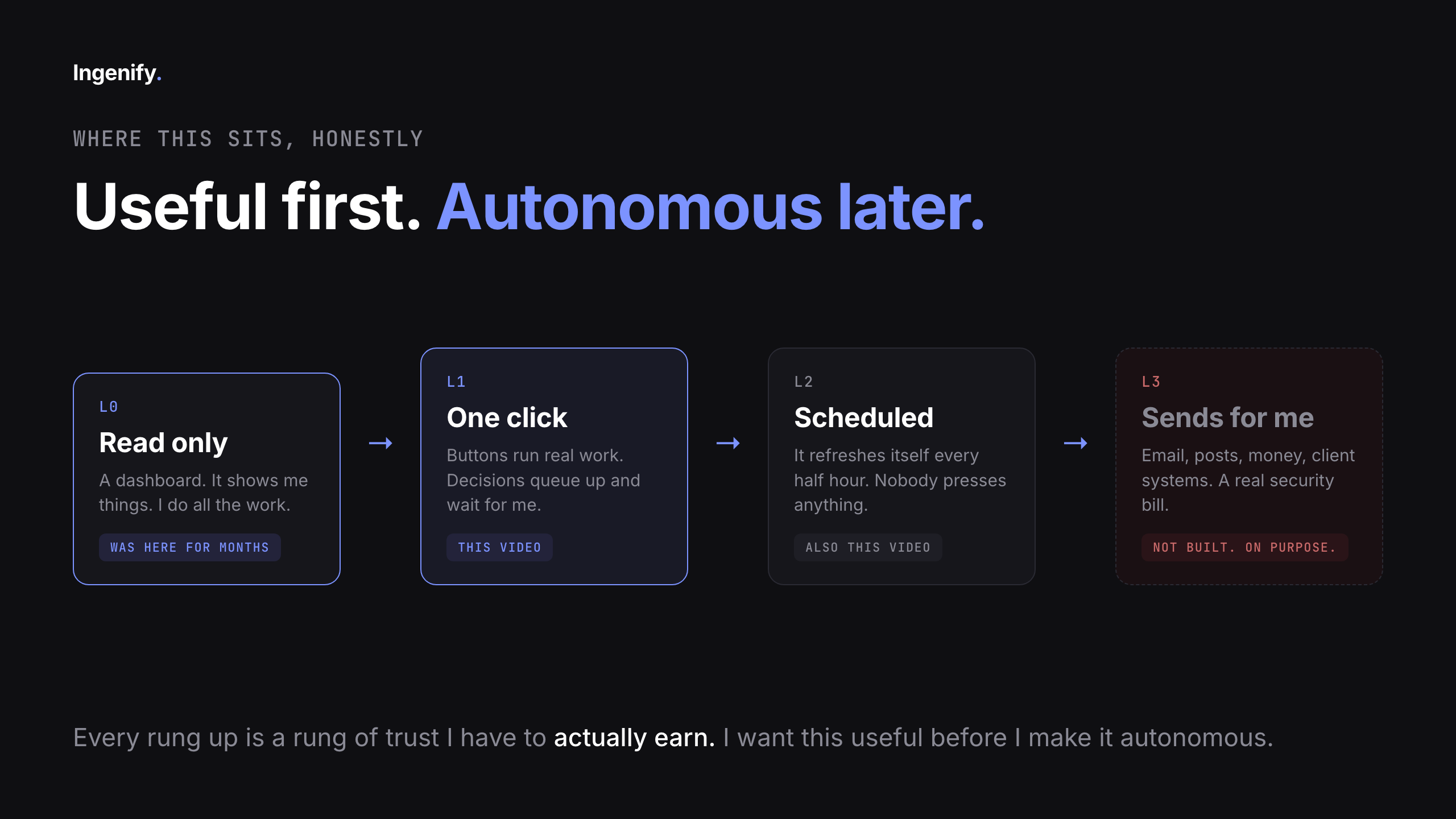
The snapshot now rebuilds itself every half hour in the background while the machine is awake. I close the tab, walk off, come back, and the numbers have moved without me.
What to take from this
If you are wiring an AI agent into anything real:
- Put the whitelist on the server. The UI should never be able to build a command.
- Assume the agent inherits every authenticated CLI on your machine. Go and look at what is already logged in as you.
- Test the block by trying to break it, not by reading your own config and feeling good.
- Give every model its own sandbox. A failover brain does not inherit the primary's walls.
- Keep approval as a write to a file, not a send. The gap between "reviewed" and "executed" is the whole safety model.
Watch the whole thing happen. The full build, the failed security test, and the denial on screen are all in the video.
I build AI systems for business owners who want the boring half of their company to run itself, without handing over the keys. If that is a problem you have, that is what Ingenify does.
Watch the full build →